About rooting your TV
By rooting your TV, you will gain full access to the device you bought. But note that with great
power comes great responsibility. We trust you have received the usual lecture from the local
System Administrator... wait ... my system administrator is LG?? I don't want LG to be my
administrator! Let's fix it
DO NOT UPDATE TO any WebOS firmware released after 2026-10-10 like 43.21.84. Public root method
got patched and this firmware currently cannot be rooted. If you will connect your TV to the internet
to root it, first turn off autoupdate.
They started also patching older webos versions - 04.60.92 (webos 7.6.0-1902) is the first
known patched older webos version.
see the firmware list and check if your FW version has voiceweb. If it doesn't
have voiceweb, it is patched.
Want to start fresh? Clear your answers.
Frequently asked questions
- How do I get rid of the root?
- Factory reset the TV.
- I need to send the TV for a warranty repair.
- Factory reset the TV to get rid of the root, then send it. Expect the TV to be returned with the newest firmware.
- Can I brick my TV by trying to root it?
- No. The methods will either work and root your TV, or they are patched and do nothing.
- cani.rootmy.tv says that my TV cannot be rooted, or I can't find my TV there
- Follow the rooting guide anyway, your TV still might be rootable.
- Any alternative to rooting?
- Yes, Developer Mode App. Your TV has to be kept online and devmode session extended each 999 hours. Root is a better devmode :)
- As a developer I need Developer Mode to develop apps
- You don't need it. Upload ipks using homebrew's ssh port 22.
- I installed LG Developer Mode app and lost root
- Don't install devmode while rooted, root the TV again by following this guide
- Can I install android/linux with root?
- No. Bootloader is signed. It is already linux. Every modification is done on top of webos.
- It's not working on rootable firmware version
- Reboot the TV between rooting attempts by unpluging it from the power outlet. If you use firewall, allow the TV to connect back to your device.
- Do I lose root if I update firmware?
- Usually no. But if you then lose root, you won't get it back. So stay on rootable FW.
- Can I downgrade firmware?
- Only if rooted. See firmware downgrade.
- My TV was not made by LG, can I root it?
- If it runs WebOS, follow this guide. Manufacturer doesn't matter. It doesn't have to be a TV either.
- I got stuck
- Join openlgtv discord, we can look at it together.
Turn off automatic updates
On your home screen press the settings icon
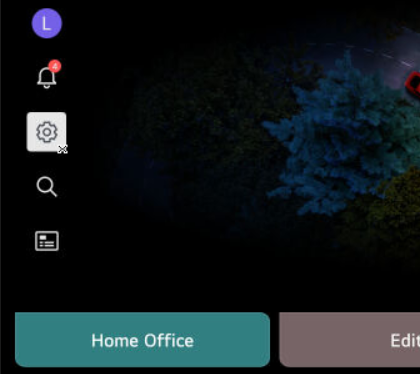
And press the cog icon again
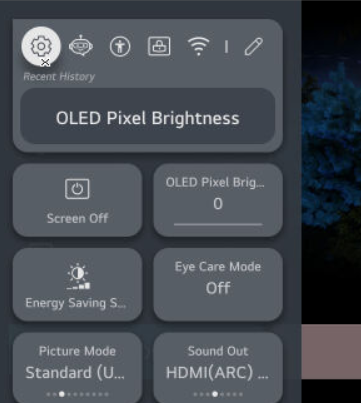
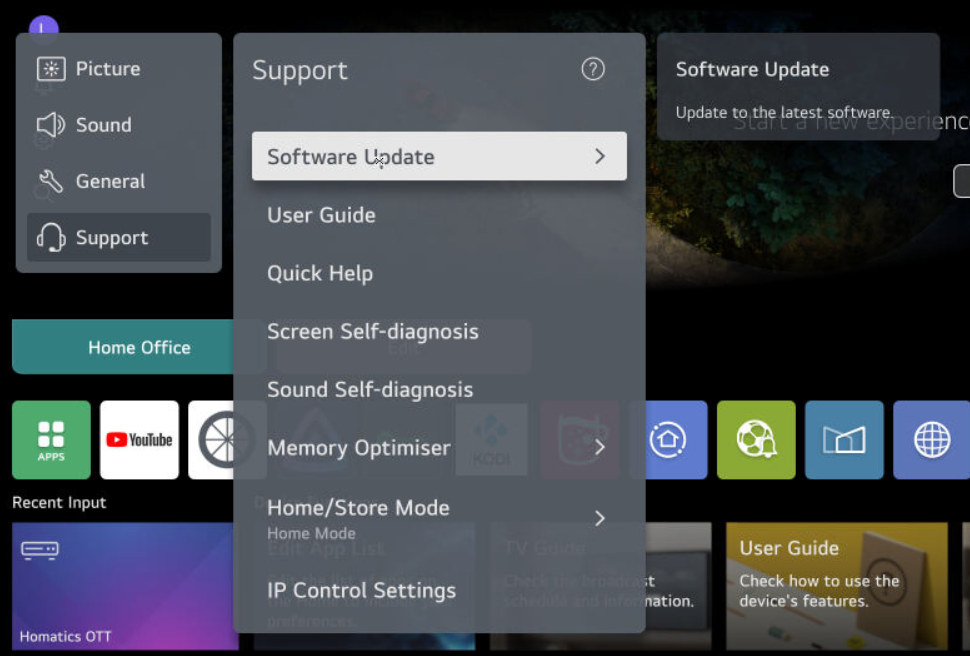
Navigate to Support (headset icon) > Software update.
And make sure Auto Update is turned off.
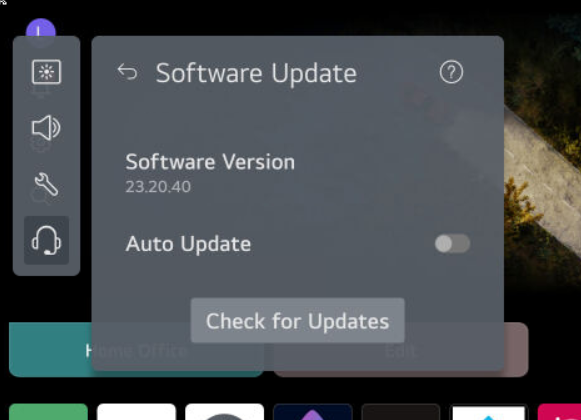 The TV will still nag you to update each time you turn it on while connected to the
internet if you won't block the update domains at the DNS level.
Gather WebOS Version
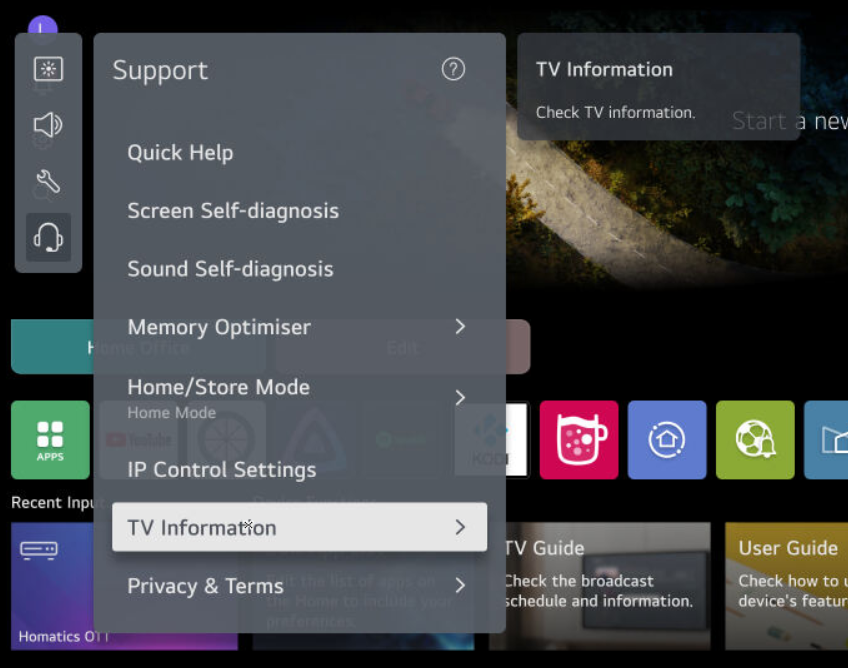
Navigate to Support > TV Information
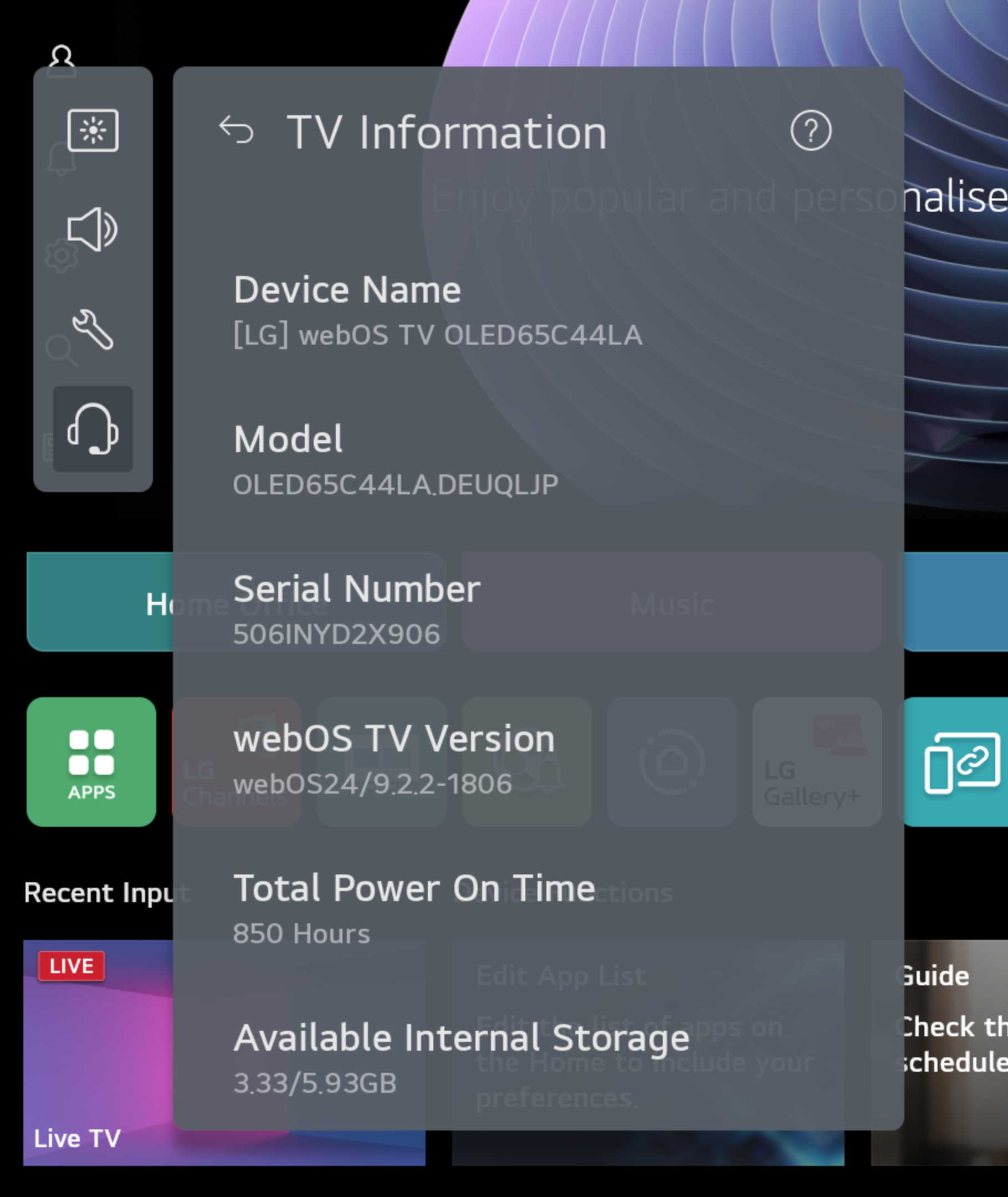
See webOS TV version (in our example webOS24 / 9.2.2-1806 - for rooting purposes the first number after "/"
(9) is the important one).
What webOS version does your TV show?
Enter the number directly after "/" from the webOS TV version field.